
Laptop Overheating: Causes, Quick Fixes, and When to Get It Repaired | FixRepair
FixRepair – India’s Trusted Gadget Repair Guide
October 18, 2026Alert Fatigue is Killing Your Gadgets | FixRepair India
October 18, 2026Laptop Overheating: Causes, Quick Fixes, and When to Get It Repaired | FixRepair
Is your laptop getting too hot to keep on your lap? You’re not alone. In India’s dusty climate, laptop overheating is one of the top reasons for slow performance, sudden shutdowns, and battery failure. At FixRepair, our technicians fix this daily.
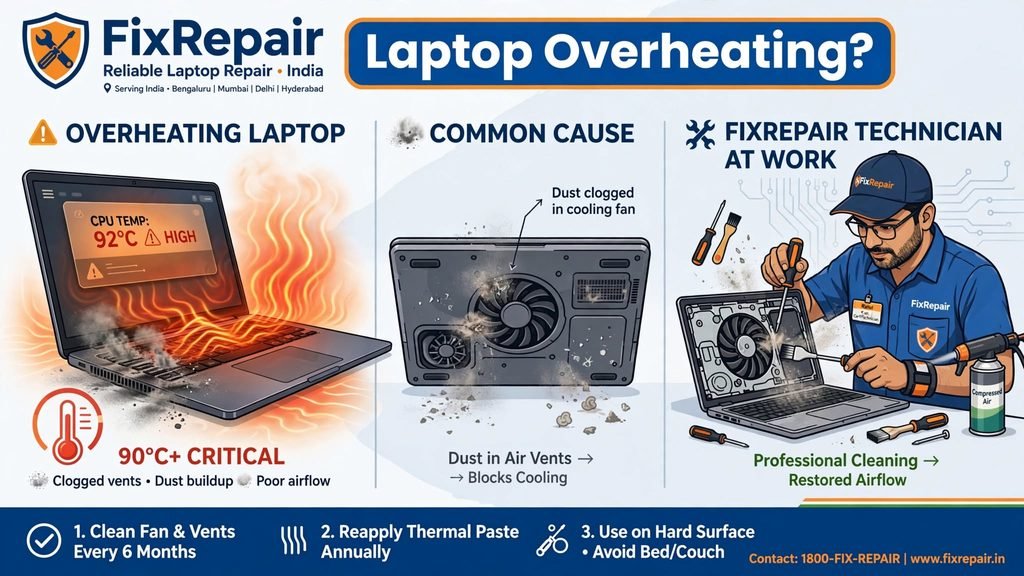
Here is our honest guide on why it happens and what to do.
Why Your Laptop Overheats (Top 5 Causes We See at FixRepair)
1. Dust-Clogged Vents & Fans – The #1 Cause in India
Dust in Patna and most Indian cities blocks your air vents and fan. No airflow = 90°C+ temperature.
2. Dried-Out Thermal Paste
That paste between CPU and heatsink dries out in 1-2 years. Without it, heat doesn’t transfer properly.
3. Using Laptop on Bed / Sofa / Lap
Soft surfaces block bottom vents. This alone increases temp by 15-20°C.
4. Too Many Background Apps & Old Battery
Chrome with 20 tabs + old battery pushing extra power = extra heat.
5. Failing Cooling Fan
If you don’t hear your fan or it makes a loud noise, it’s failing.
5 Quick Fixes You Can Try at Home
Fix 1: Clean The Vents – Shut down laptop, use a compressed air blower on side vents. Do this every 3 months.
Fix 2: Always Use a Hard Flat Surface – Use a laptop table or a cooling pad (Rs. 800-1500). Never keep it on bed while charging.
Fix 3: Check Task Manager – Press Ctrl+Shift+Esc > See which app is using 90% CPU. Close heavy apps, disable auto-startup.
Fix 4: Elevate The Back – Put two bottle caps under rear feet. Improves airflow instantly by 10%.
Fix 5: Update Drivers & BIOS – Go to your brand’s official site (Dell, HP, Lenovo) and update.
Still at 85°C+? It’s time for professional service.
When to Call FixRepair?
Book a service if you see:
- Laptop shuts down automatically while working
- Fan is very loud or not spinning
- Keyboard is extremely hot and performance is very slow
- 92°C+ temperature even after cleaning
What FixRepair Does in a Professional Cleaning:
- Complete internal dust cleaning with anti-static tools
- Premium thermal paste replacement (Branded – Noctua / Arctic)
- Fan health check and lubrication/replacement
- Full temperature test report
Cost at FixRepair India: Professional cleaning + thermal paste: Rs. 499 – Rs. 999 depending on model. Much cheaper than a new motherboard (Rs. 8000+) if you ignore it.
Prevent It Next Time: Service every 6 months, use a cooling pad, and avoid eating near the laptop.
Facing overheating in Patna? Book a doorstep diagnosis with FixRepair – Same Day Service in Kankarbagh, Boring Road, Patliputra.
